What players say
Rolling Path offers a calm and engaging puzzle experience. The physics mechanics are satisfying to master, and the level editor adds long-term value. It is a good choice for short breaks or extended play sessions. The game is free and runs in a browser, making it easy to access.
About this game
Game Introduction
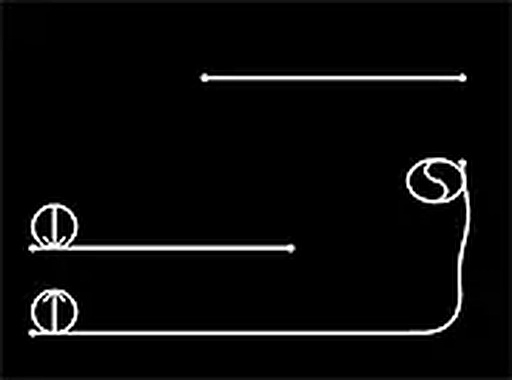
Rolling Path: Gravity Puzzle is a physics-based puzzle game that challenges players to guide a wobbly blob from a starting point to a destination. The game relies on realistic physics and environmental bumps to create unique movement patterns. Players adjust curves and bumps on the path to control the blob's direction, using gravity as the primary force. The game includes a built-in level creator, allowing players to design and share their own challenges. This combination of physics and creativity makes each session different. Rolling Path is suitable for all ages and offers a relaxing yet engaging experience. It runs directly in a browser on desktop computers, with no downloads or installations required. The game is free to play online, making it accessible to anyone with a computer and internet connection. The level editor adds long-term value, as players can create new puzzles or try those made by others. The game's focus on physics and gravity provides a satisfying puzzle experience that rewards patience and experimentation.
How to Play
Playing Rolling Path is straightforward. Players use a mouse or keyboard to interact with the game. The blob moves based on gravity, so players must adjust the curves and bumps to guide it toward the destination. In the level creator mode, players can click and drag to create or modify paths. Start by placing the blob at the beginning of a curve, then watch as it rolls along. Use bumps to help it jump over gaps or reach higher areas. Experiment with different angles and setups to find the best path. If stuck, try adjusting the curves or adding more bumps. The game rewards patience and creativity. Players can also play levels designed by others for new challenges.
Game Features
Physics-based ball rolling gameplay. Creative level editor for custom challenges. Share levels with friends or play community creations. Free to play online with no downloads. Designed for desktop computers with mouse or keyboard controls. Relaxing puzzle experience suitable for all ages.
Tips for Success
Rolling Path provides a calm and creative puzzle experience. The physics mechanics are satisfying to master, and the level editor adds long-term value. It is a good choice for short breaks or extended play sessions.